
Download Custom Resolution Utility (CRU) – custom resolution, resolution utility, edid, graphics tweak, nvidia, amd, monitor, tweak, utility, freeware, portable, windows, high resolution, custom edid, resolution hack, gpu, graphics card
Overview
Custom Resolution Utility (CRU) is a lightweight, freeware tool designed for users seeking to expand the display resolution capabilities of their monitors beyond the default options provided by their graphics control panels. The application targets individuals who require higher or non-standard resolutions for specialized tasks such as high-density display setups, retro gaming, or multi-monitor configurations. By manipulating EDID (Extended Display Identification Data) values stored in the Windows registry, CRU enables users to create and apply custom resolutions without requiring a physical hardware upgrade.
Developed by Vivian D. Stephens, CRU operates as a portable application, meaning it does not require installation and can be run directly from a USB drive or local folder. This design enhances accessibility and reduces system footprint, making it ideal for temporary use or deployment on multiple machines. The tool supports a range of NVIDIA and AMD/ATI graphics cards, though Intel GPUs are not currently supported. This limitation is clearly documented, ensuring users set appropriate expectations.
Real-world use cases include extending monitor compatibility for older displays, enabling ultra-high resolutions on modern GPUs, or configuring unique aspect ratios for creative workflows. While the utility is not intended for casual users, it fills a critical niche within the Windows desktop ecosystem by providing granular control over display output. The inclusion of a reset utility ("reset-all.exe") adds a layer of safety, allowing users to revert changes if unintended issues arise.
Key Features & Functionality
- Portable Operation – No installation required; runs directly from any folder or removable drive.
- EDID Manipulation – Modifies registry-based EDID values to expose custom resolutions to the operating system.
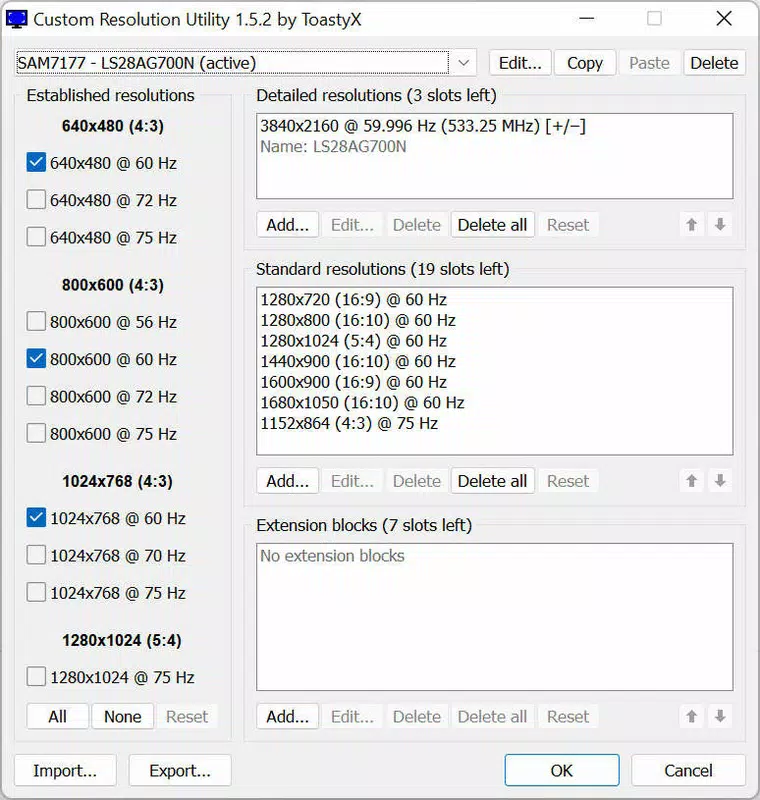
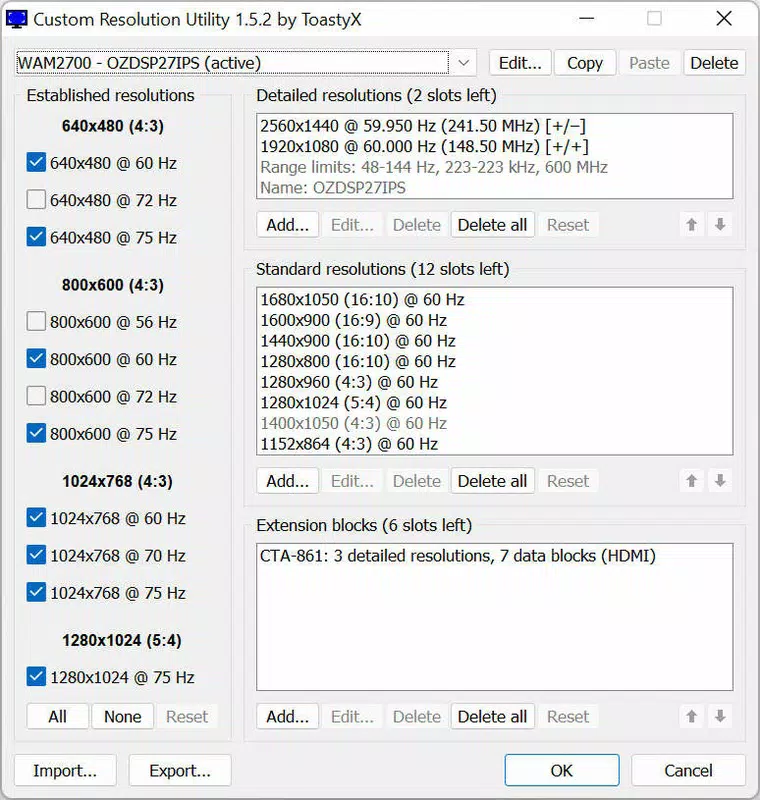
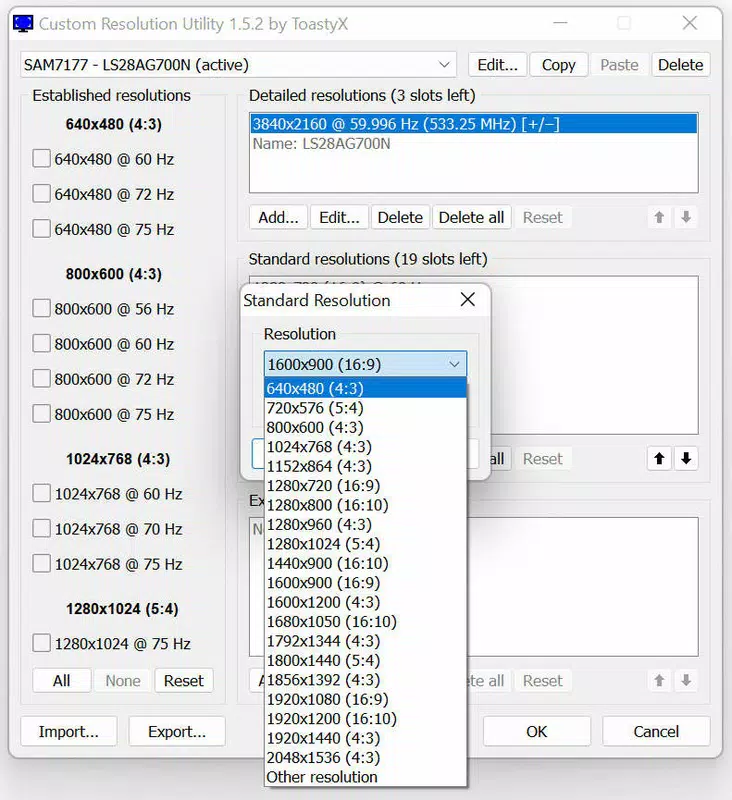
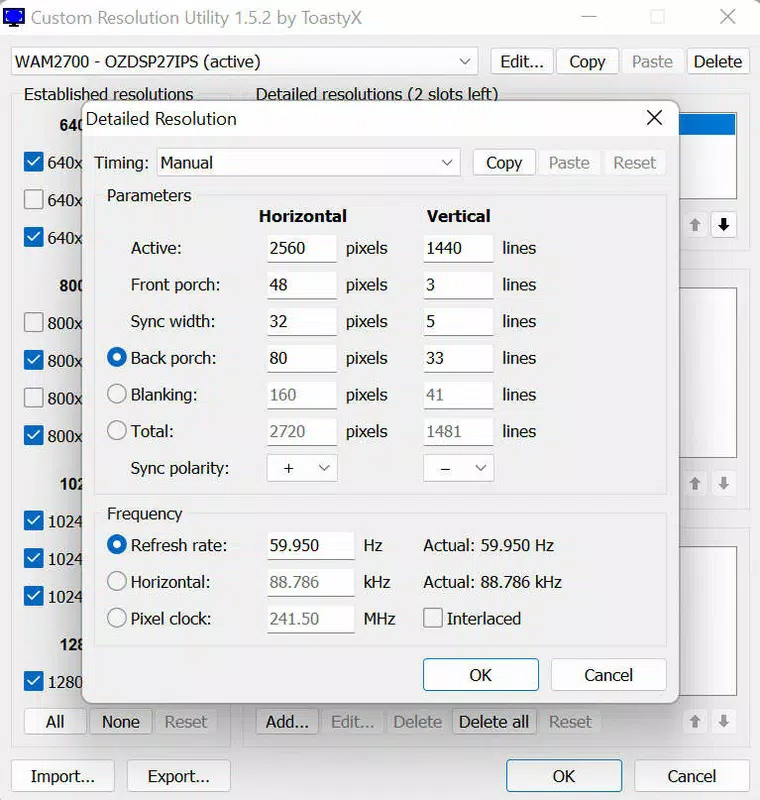
- Resolution List Management – Displays currently supported resolutions and allows users to add new ones manually.
- GPU Compatibility – Supports select NVIDIA and AMD/ATI graphics cards; Intel GPUs are not supported.
- Safe Reversion Tool – Includes "reset-all.exe" to restore original EDID settings and undo all modifications.
- High Resolution Support – Enables access to higher or non-standard resolutions beyond default limits.
For example, a user with a 4K monitor that doesn’t list a 3840x2160@144Hz option in the NVIDIA control panel can use CRU to manually add it. Similarly, a retro gaming enthusiast might use the tool to simulate older aspect ratios like 4:3 or 5:4 on modern widescreen displays. The application does not alter hardware; instead, it tricks the OS into recognizing new display capabilities through registry-level changes.
Each feature is designed with precision and caution in mind. The lack of installation reduces risk of system clutter, while the reset tool ensures users can recover from misconfigurations. The tool is particularly valuable for power users, developers, and system administrators who require fine-grained control over display output. Although the interface is minimal, it serves its purpose effectively for targeted technical tasks.
Interface, UX & Performance
Custom Resolution Utility presents a straightforward, no-frills interface focused on functionality rather than visual polish. The layout displays a list of currently supported resolutions for the connected monitor, with clear options to add or edit entries. Navigation is linear and intuitive, relying on basic buttons and input fields, which reduces the learning curve for experienced users.
Despite its simplicity, the application maintains a high level of usability for its intended audience. The absence of complex menus or tooltips reflects its target demographic: technically proficient users who understand EDID, resolution standards, and GPU limitations. The tool runs efficiently with minimal resource usage, consuming only 1.2 MB of storage and requiring no background processes.
Although the developer did not list formal performance metrics, the application responds instantly to user input, with no noticeable lag during resolution addition or modification. It is compatible with various Windows device categories, including desktops, laptops, and workstations, and operates without crashing or freezing under normal use. Stability is maintained through the use of a dedicated reset utility, which helps mitigate potential issues from incorrect configurations.
Platform Compatibility & Technical Requirements
Custom Resolution Utility is designed exclusively for the Windows operating system. It is compatible with Windows platforms, though specific version requirements were not listed. The application is distributed as a single executable file, making it easy to deploy across different machines without installation.
The file size is 1.2 MB, indicating a highly optimized, lightweight design. This small footprint ensures compatibility with older systems and low-storage environments. No additional dependencies or runtime libraries are required, which enhances portability and reduces the risk of conflicts with other software.
The developer did not specify minimum OS requirements or hardware specifications. However, given the nature of the tool—interfacing directly with graphics drivers and the Windows registry—it is likely intended for systems with modern NVIDIA or AMD GPUs. Users are advised to verify GPU compatibility before use, as Intel integrated graphics are explicitly unsupported.
Pros and Cons
Pros
- Free to download and use with no hidden costs.
- Portable application – no installation required.
- Supports custom resolution creation for NVIDIA and AMD GPUs.
- Includes a reset utility to undo changes safely.
- Small file size (1.2 MB) and low system resource usage.
- Designed for power users needing advanced display control.
Cons
- Does not support Intel integrated graphics.
- Interface is minimal and may lack guidance for beginners.
- No official update notifications or changelog provided.
- Specific OS version requirements were not disclosed.
- Requires technical knowledge to use effectively.
FAQ
Is Custom Resolution Utility safe to use?
Yes, when used correctly. The tool modifies registry entries related to EDID data, but it includes a reset utility to revert all changes. Users should ensure they understand the implications before applying custom resolutions.
Can I use CRU on my Intel GPU?
No. The developer has confirmed that Intel integrated graphics are not supported by Custom Resolution Utility.
Do I need to install CRU?
No. CRU is a portable application and can be run directly from a folder or USB drive without installation.
What happens if I apply a resolution that my monitor can’t handle?
Applying an unsupported resolution may result in display issues such as flickering, black screen, or no signal. The reset utility can restore default settings to resolve the problem.
How do I update Custom Resolution Utility?
The developer did not provide a built-in update mechanism. Users should manually check the official source for new versions.
Final Thoughts
Custom Resolution Utility stands out as a focused, powerful tool for users who demand greater control over their display settings. While not suitable for everyday users, it delivers significant value to enthusiasts, developers, and professionals working with non-standard or high-resolution displays. Its portability, minimal footprint, and safety features make it a reliable choice in the Windows utilities space.
For those working with NVIDIA or AMD graphics cards and seeking to unlock hidden resolution options, CRU offers a straightforward, secure solution. The inclusion of a reset function ensures that even if a mistake is made, recovery is simple and immediate.
Download Custom Resolution Utility now


